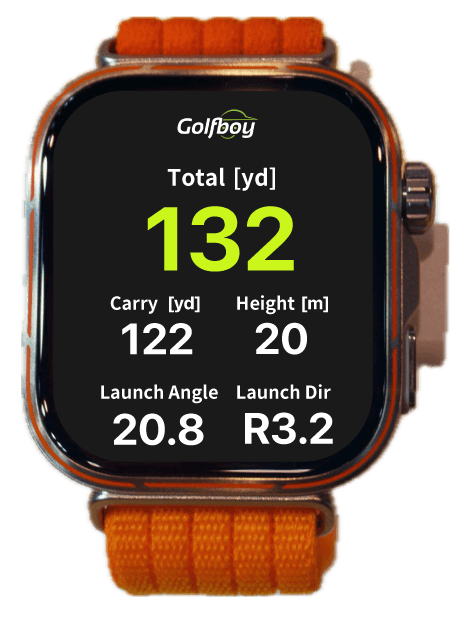
Know your distance
Check distance and ball speed. Compare how a shot felt with the numbers to understand your performance.
 ×HUAWEI WATCH
HUAWEI WATCH × Golfboy
See shot and putt results measured by Golfboy on your iPhone, right on your HUAWEI WATCH.
Free to download. A subscription is required for measurement.
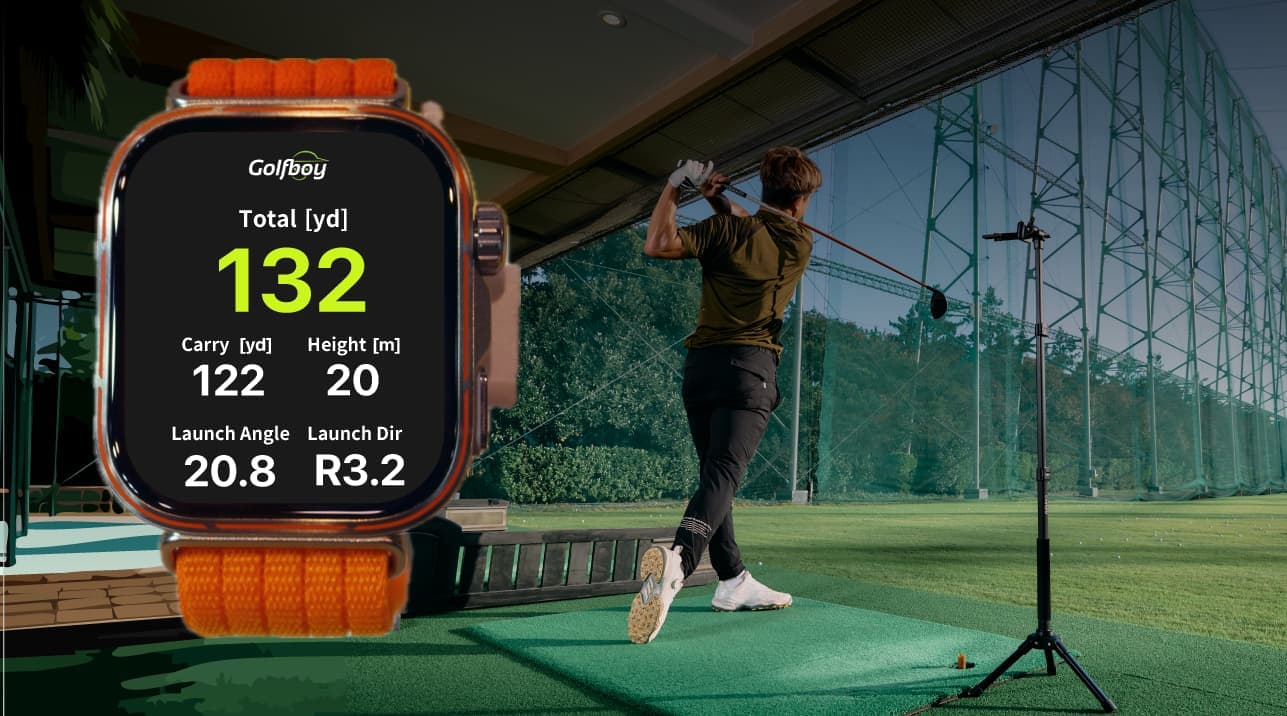
Watch integration
Check distance and ball speed. Compare how a shot felt with the numbers to understand your performance.
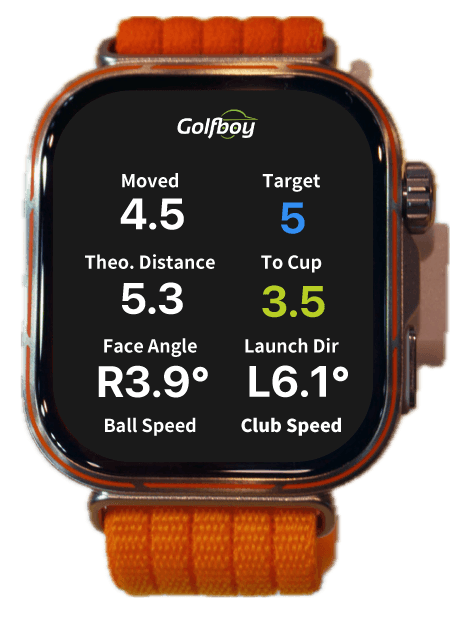
See putt distance and initial ball speed. Learn how far the ball rolls with each stroke.
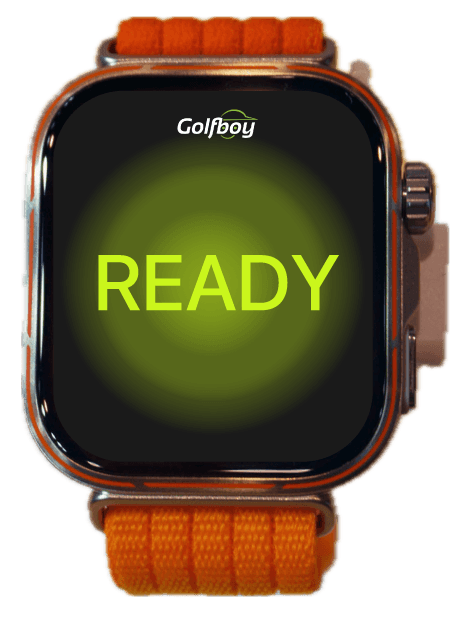
An on-screen animation shows when the ball is recognized. This is a visual notification, not sound or vibration.
Screens and values are examples. The language shown may differ from your app settings. View shot trajectories and detailed analysis on iPhone.

Focus on practice
Leave your iPhone on its tripod. Check results where you hit the ball and focus on your next shot.
How to use
In addition to Golfboy on your iPhone, install Golfboy on your watch. Follow these steps in HUAWEI Health.
Get it on the App Store How to install the WATCH appEnable HUAWEI WATCH integration in Golfboy on your iPhone, then connect.
View connection stepsSecure your iPhone to a tripod and start a shot or putt measurement in Golfboy.
View the setup guidePrepare the WATCH app
In addition to Golfboy on your iPhone, install Golfboy on your watch. Follow these steps in HUAWEI Health.
Pair your iPhone and watch before you begin.Check compatible watches
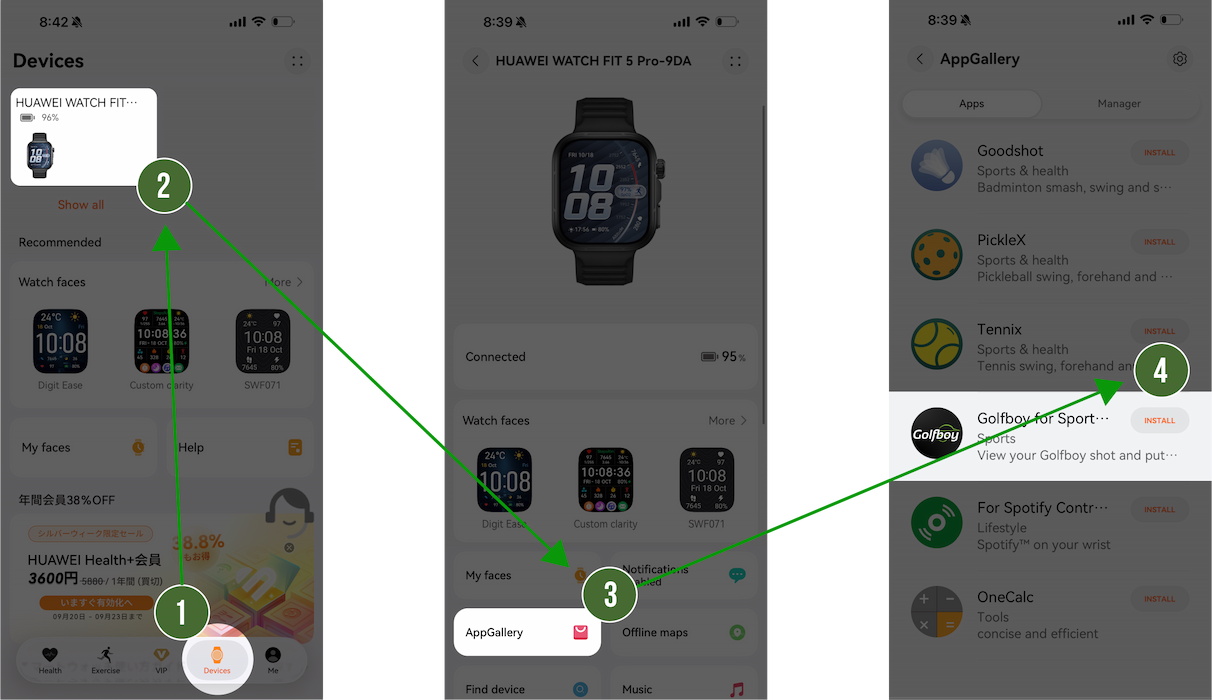
Open the HUAWEI Health app on your iPhone.
Select “Devices” at the bottom of the screen.
Choose the HUAWEI WATCH on which you want to install Golfboy.
Select “AppGallery” on the watch management screen.
Find Golfboy in the app list and select “Install” to start installing the WATCH app.
Enable HUAWEI WATCH integration in Golfboy on your iPhone, then connect.
After installing, connect the apps
After installing the WATCH app, set up HUAWEI WATCH integration in Golfboy on your iPhone. Follow the steps below.
Install the WATCH app first if you have not done so.How to install the WATCH app
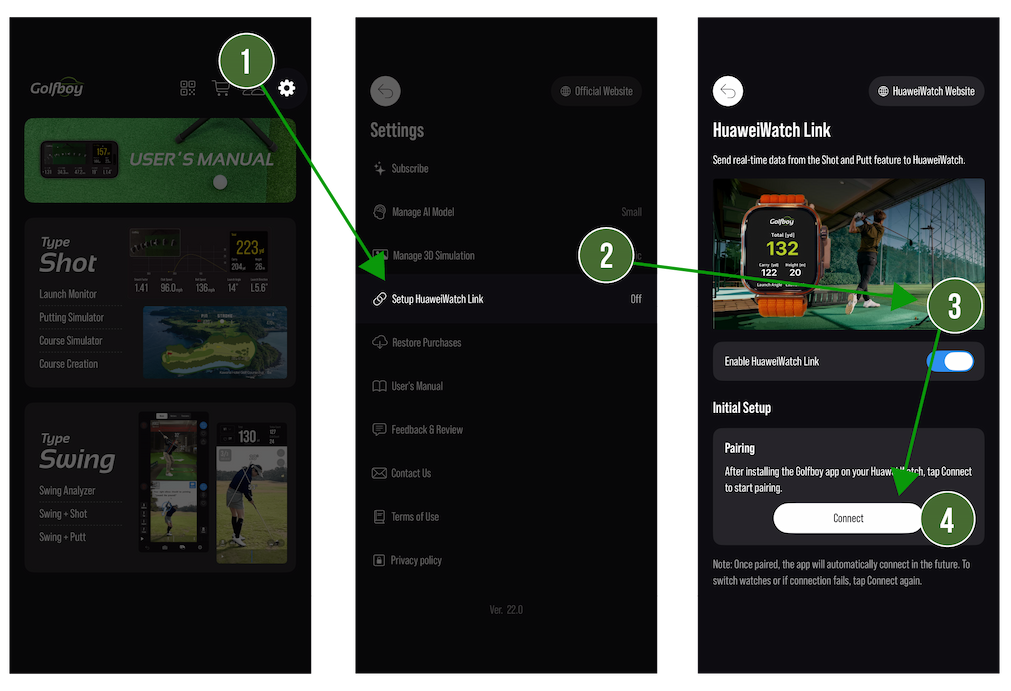
Open the Golfboy app on your iPhone.
Select the gear icon at the top right of the main menu.
Select “Setup HuaweiWatch Link” on the settings screen.
Turn on the “Enable HuaweiWatch Link” switch.
Tap “Connect” to connect to your HUAWEI WATCH.
If the connection fails, retry connecting or check your watch’s pairing status in HUAWEI Health.
Once connected, start measuring with Golfboy’s Shot or Putt feature and check the results on your watch.
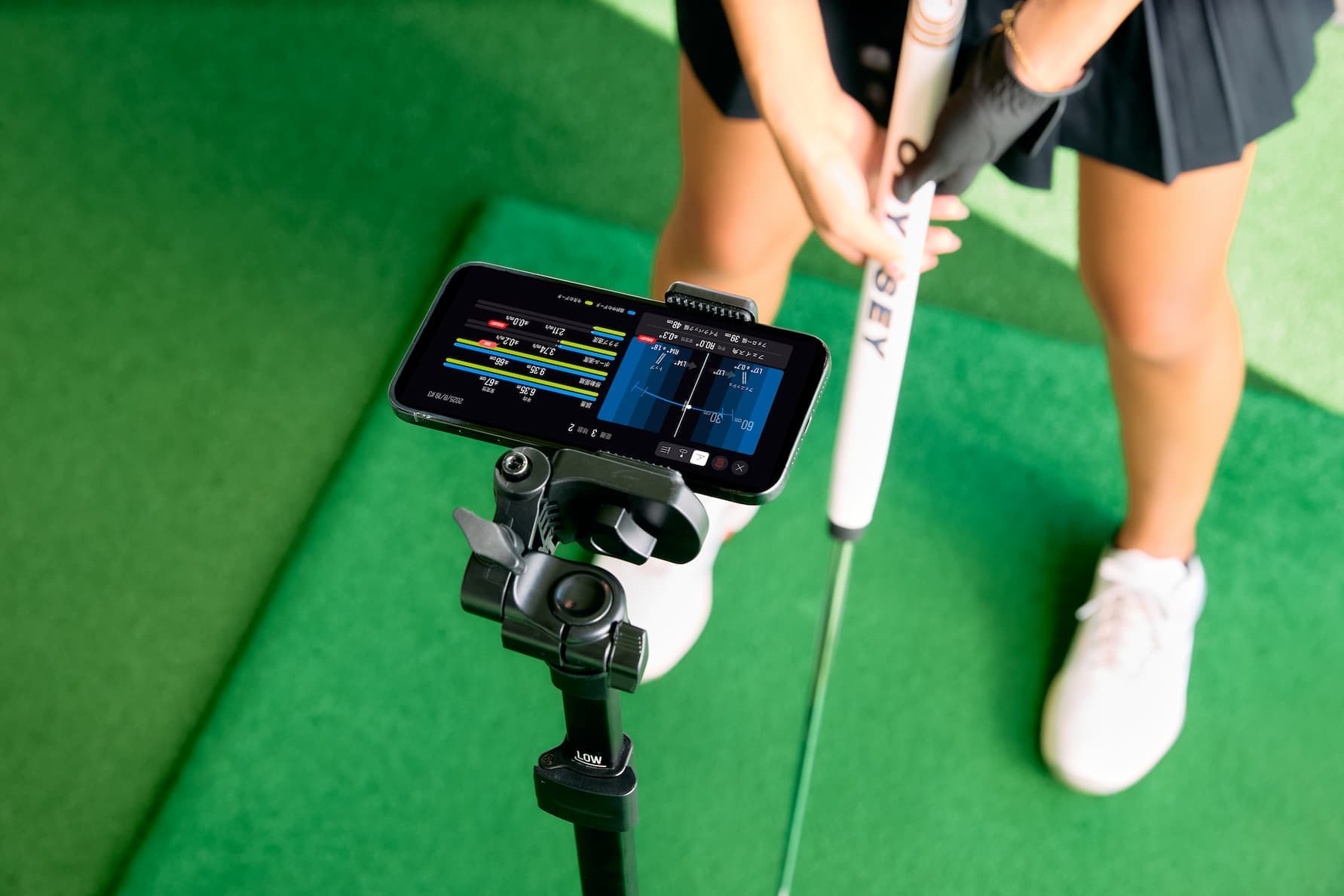
Secure your iPhone to a tripod before measuring shots or putts.
Open each section for preparation and connection instructions.
Not installed the WATCH app yet? Get help connectingAbout Golfboy
Golfboy is an iPhone app for measuring and analyzing shots and putts. It also offers swing analysis and round simulation.
Find compatible devices, system requirements, iPhone positioning instructions and app guides.
Golfboy website golfboy.jp
Before you start
A connection to an iPhone is required.
Compatibility information is based on guidance for Japan. Availability in other regions has not been confirmed.
Check system requirementsApp for iPhone
Free to download. A subscription is required for measurement.